How to Start a Digital Product Business as a Beginner
Jun 07, 2026
Starting a digital product business is one of those things that sounds more complicated than it actually is.
There's no inventory. No shipping. No manufacturing cost. No minimum order quantity. You create something once, set it up to sell, and it keeps generating income without you having to fulfill anything manually.
That's the appeal. The reality is that getting there still requires real work upfront — you have to create something people actually want, price it correctly, and put it somewhere buyers can find it.
This post walks through each of those steps in order. By the end you'll have a clear picture of what to create, how to know people will buy it before you build it, where to sell it, and what to do once the first sales start coming in.
Why Digital Products Are the Best Starting Point for Passive Income
There are three main ways to build passive income: deploying capital, creating an asset, and building a monetizable audience. I cover all three in the Passive Income for Beginners guide.
For most people starting with no capital and no existing audience, digital products are the fastest path to a real income stream. Here's why.
The startup cost is close to zero. You don't need to buy anything, manufacture anything, or hire anyone to get started. A well-designed PDF created in Canva can sell for $17-47 and cost you nothing but time to produce.
The margin is essentially 100%. Once the product exists, every sale is almost pure profit. There's no cost of goods, no fulfillment expense, no per-unit cost that eats into your returns.
The feedback loop is fast. Unlike real estate or dividend investing, digital products tell you quickly what's working and what isn't. A product that sells teaches you something. A product that doesn't sell teaches you something different. Either way, your next product is better.
And critically: digital products can be sold while you sleep, while you're with your family, while you're on vacation. That's the point.
What Counts as a Digital Product
A digital product is any file or digital asset that can be purchased and delivered electronically without physical fulfillment.
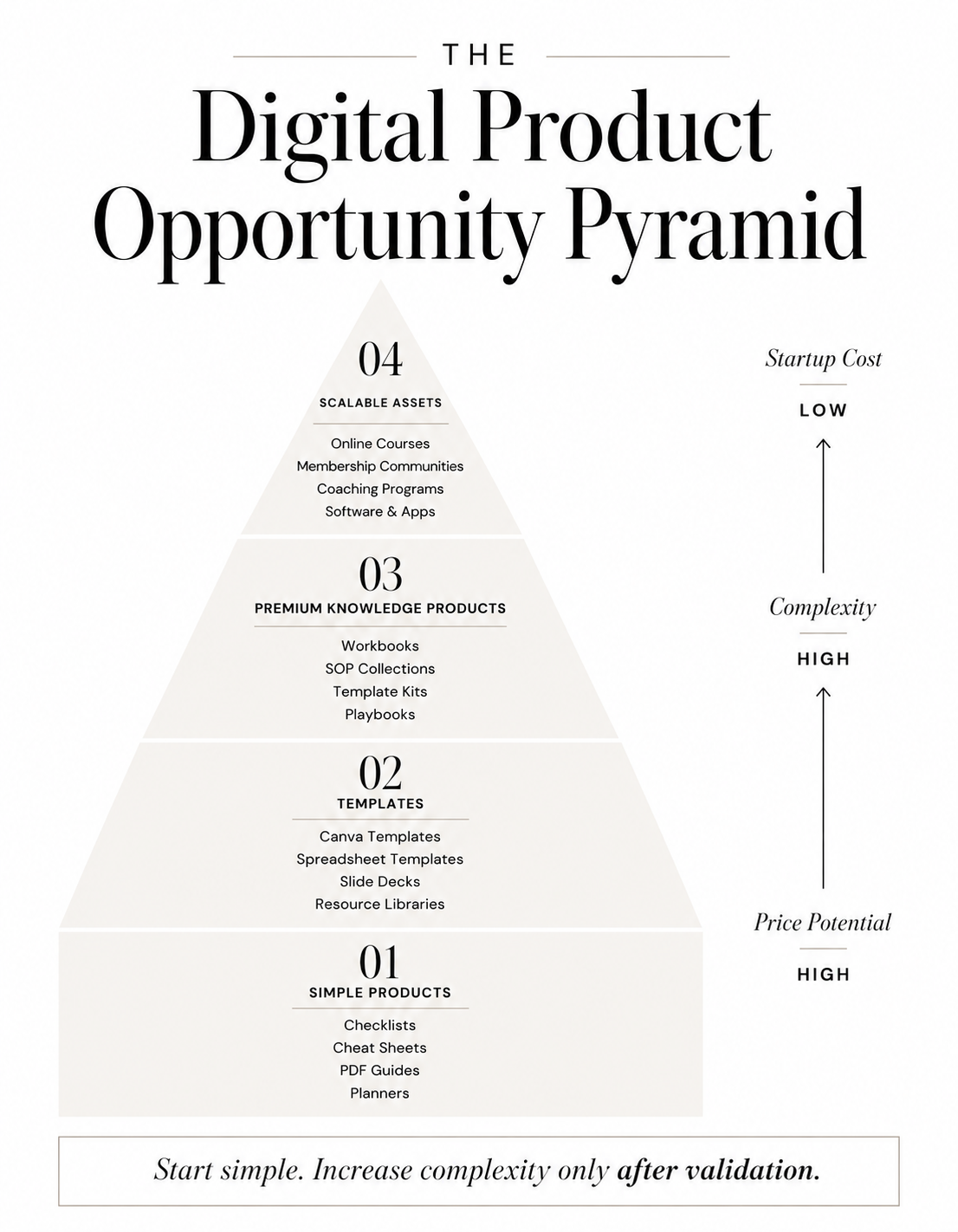
The range is wider than most people realize. At the simpler end: PDF guides, ebooks, cheat sheets, checklists, SOPs, trackers, planners, and Notion templates. These can be created in an afternoon with the right tools and sell consistently for months and years.
Moving up in complexity: Canva templates, spreadsheet templates, slide deck templates, swipe files, and resource libraries. These take longer to build but command higher prices and tend to have stronger perceived value.
At the higher end: online courses, coaching programs delivered through a platform, membership communities, and software tools or apps.
The right starting point depends on your skills, your available time, and your existing knowledge. But for most beginners, the first product should be something simple — a PDF, a checklist, a template — that solves one specific problem clearly.
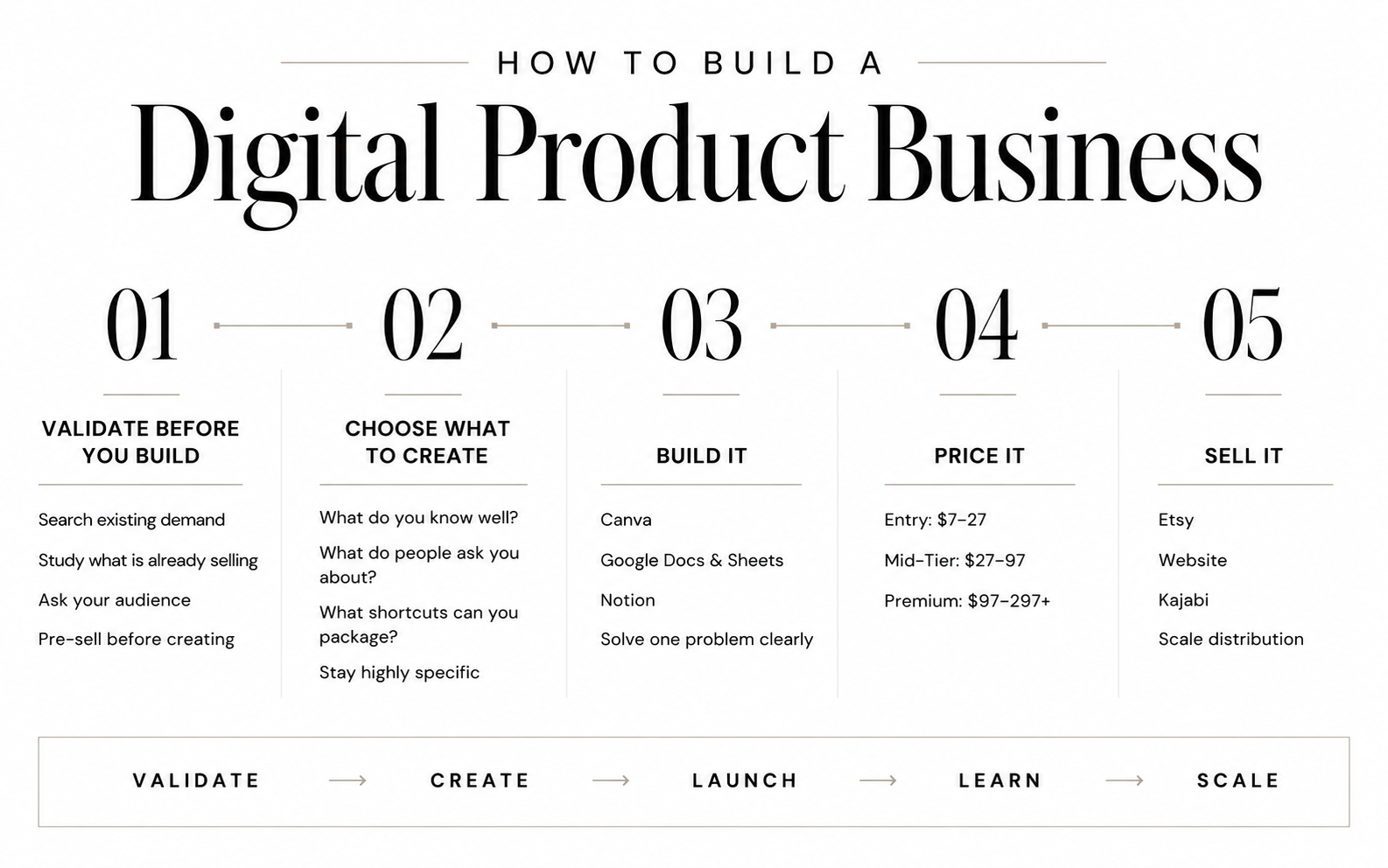
Step One: Validate Before You Build
The most common mistake beginners make is building a product that nobody asked for.
It happens because the creation part feels productive. Designing a beautiful PDF, formatting a guide, building out a template — these feel like progress. But if nobody wants what you've built, all of that effort produces zero sales, frustration and a lot of wasted time.
Validation means confirming there's real demand for your product before you invest significant time in creating it.
Here's a simple validation framework that works at any level:
Search for it first. Go to Etsy and search the type of product you're thinking about creating. If there are existing listings with reviews and sales, that's a green light — it means people are already buying this type of thing. You're not looking for zero competition. You're looking for proof of demand.
Look at what's already selling. On Etsy, sellers with hundreds or thousands of reviews on a similar product are telling you something important. Don't copy them — but use their existence as market validation that the category works.
Ask your audience. If you have any platform at all — even a small social following, an email list, or a community you're part of — ask directly. "I'm thinking about creating a [type of product] that helps with [specific problem]. Would that be useful to you?" Real responses from real people are more valuable than any keyword tool.
Pre-sell before you finish. This is an advanced move but worth knowing about: you can list a product before it's fully complete, describe exactly what it will include, and see if anyone buys. If nobody buys, you haven't wasted weeks building something. If people do buy, you have both validation and revenue before launch.
The goal of validation isn't certainty — it's reducing the risk of building the wrong thing. One afternoon of research before you start creating can save you weeks of wasted effort.
Step Two: Choose What to Create
Once you've validated there's demand, the next question is what specifically to build.
The best starting point is almost always the intersection of two things: what you know well, and what someone else finds difficult or time-consuming.
You don't need to be a world-class expert. You need to be far enough ahead of your buyer that you can save them time, teach them something they don't know, or give them a shortcut they'd otherwise have to build themselves.
Some useful prompts for finding your product idea:
What process do you follow that others struggle with? If you've developed a system for something — managing your finances, planning content, onboarding clients, organizing projects — that system has product potential.
What do people ask you about repeatedly? The questions you get asked most often are a direct signal of what people will pay to have answered clearly.
What took you a long time to figure out that you could package into a shortcut? If you spent six months learning something and could condense that into a clear guide or template, that's a product.
What tools or frameworks do you use that others don't know about? A well-organized Notion dashboard, a content calendar template, a client intake tracker — these are products.
For your first product, stay specific. A guide called "How to Plan a Week of Content in 30 Minutes" will outsell "The Complete Social Media Guide" every time. Specificity signals relevance. Broad promises feel risky to buyers who don't know you yet.
Step Three: Build It
Once you know what you're creating, the build phase is straightforward. The key is choosing tools that let you move quickly without sacrificing quality.
Canva is the best starting point for most digital product creators. It handles PDFs, guides, cheat sheets, workbooks, presentations, and templates natively — and the output looks professional even if you have no design background.
The learning curve is genuinely low. If you can drag and drop, you can create a sellable product in Canva. I use it across my own product line and it's what I recommend to anyone starting out.
If you want a full walkthrough of using Canva to create and sell digital products — from design principles to product formatting to what makes templates sell — the Canva Playbook covers all of it in depth.
Google Docs and Sheets work well for text-heavy guides, checklists, and spreadsheet templates. Export to PDF for delivery. Simple, free, and widely understood.
Notion is increasingly popular for templates, dashboards, and resource hubs. If your audience is tech-comfortable, a well-built Notion template can command a solid price point and is straightforward to duplicate and deliver.
A few practical rules for the build phase:
Done beats perfect. Your first product will not be your best product. Ship it, learn from the sales and feedback, and improve the next version. Waiting for perfect means waiting forever.
One problem, solved clearly. Resist the urge to make your first product a comprehensive resource that covers everything. Narrow scope means faster creation, clearer positioning, and an easier purchase decision for the buyer.
Format for the buyer's experience. Think about how someone will actually use what you've created. A checklist should be scannable. A guide should have clear headers and white space. A template should be easy to duplicate and customize. The experience of using the product matters as much as the content itself.
Step Four: Price It Correctly
Pricing a digital product for the first time is where a lot of beginners either undercharge significantly or overthink themselves into paralysis.
Here's a simple framework.
Entry-level products: $7-27 Simple, focused products — checklists, single-topic guides, basic templates. Easy purchase decisions. Good for building an initial customer base and generating your first passive income. These work especially well as entry points into a broader product ecosystem.
Mid-tier products: $27-97 More comprehensive guides, template kits, multi-part workbooks, detailed SOPs. The buyer is expecting meaningful depth and real implementation value. This is a strong range for most digital products once you have a few reviews and some social proof.
Premium products: $97-297+ Courses, comprehensive playbooks, template collections, or anything with a strong transformation or outcome attached to it. These require more trust before purchase — social proof, testimonials, and clear outcome framing matter more at this price point.
One important principle: don't price based on how long it took you to create the product. Price based on the value it delivers to the buyer. A one-page cheat sheet that saves someone three hours of research is worth more than a 50-page guide they'll never finish reading.
For coaches and creators specifically, the $17-37 range is a natural sweet spot for a first digital product. Low enough to be a simple yes. High enough to filter for buyers who are genuinely interested. I'll come back to this in the next section.
Step Five: Choose Where to Sell
There are three main options for selling digital products, and the right choice depends on where you are in your business.
Etsy Etsy is the best starting platform for most beginners because it has built-in search traffic. You don't need an existing audience to make sales — buyers are already on the platform searching for what you're selling. Setup is straightforward, listing fees are minimal, and the infrastructure for digital product delivery is already built.
The trade-off is that Etsy takes a cut of each sale and you have limited control over the customer relationship. But for a first product with no existing audience, the traffic advantage outweighs those limitations. Part 3 of this series covers Etsy in full detail.
Your own website Selling directly from your own website gives you full control — over pricing, the customer experience, and the data you collect. There are no platform fees eating into your margins, and every buyer becomes a contact you can market to directly.
The challenge is traffic. Your own website only converts if people can find it, which requires either an existing audience or an SEO and content strategy that builds traffic over time.
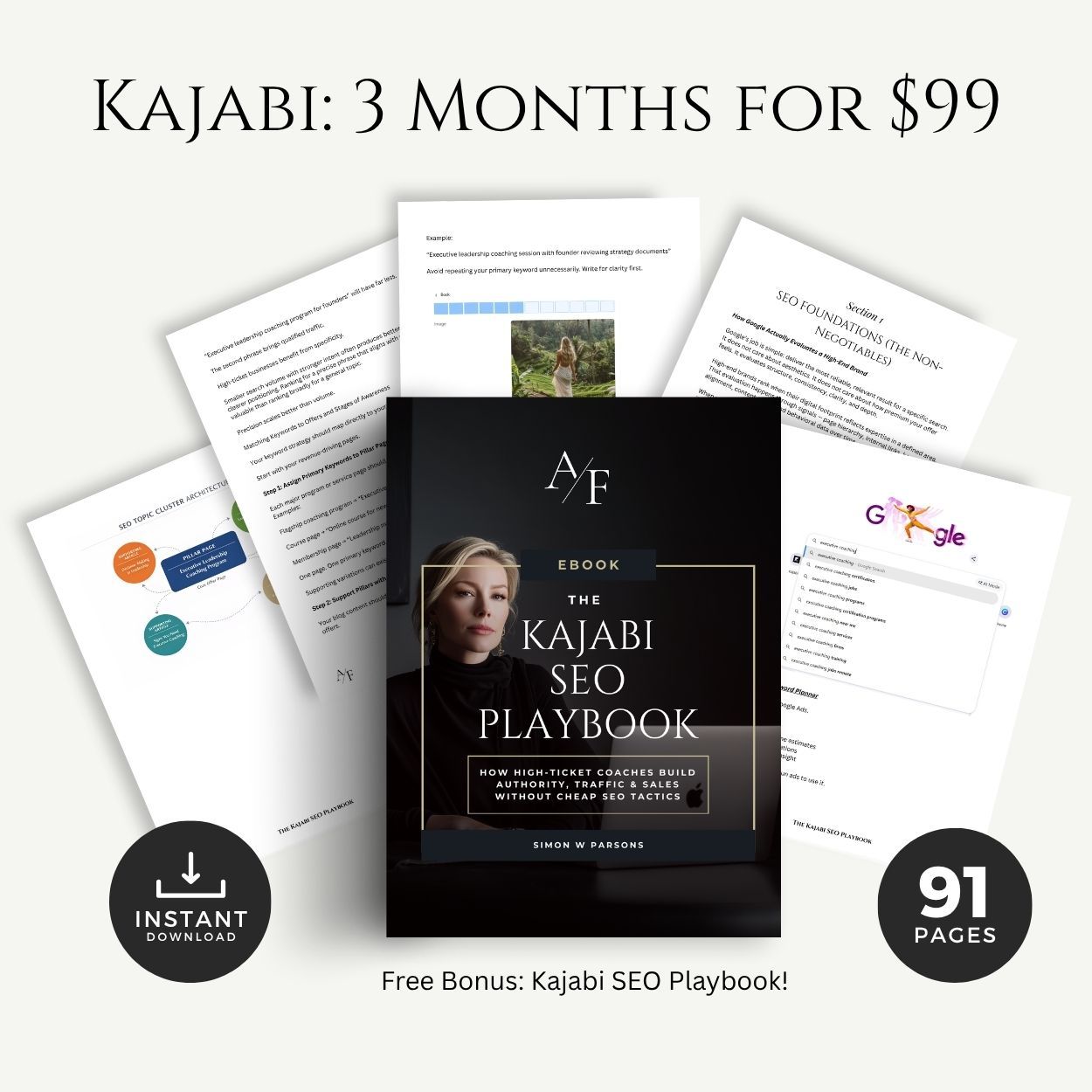
Kajabi Kajabi is a platform that deserves specific mention here because it's designed for exactly this use case — selling both digital products and online courses from one place.
If you're a coach or course creator, Kajabi lets you host your website, run your email list, sell digital downloads, deliver online courses, and manage a membership community all under one roof. It's more investment than a basic Etsy shop, but it's built for people who want to grow beyond a single product into a full digital business.
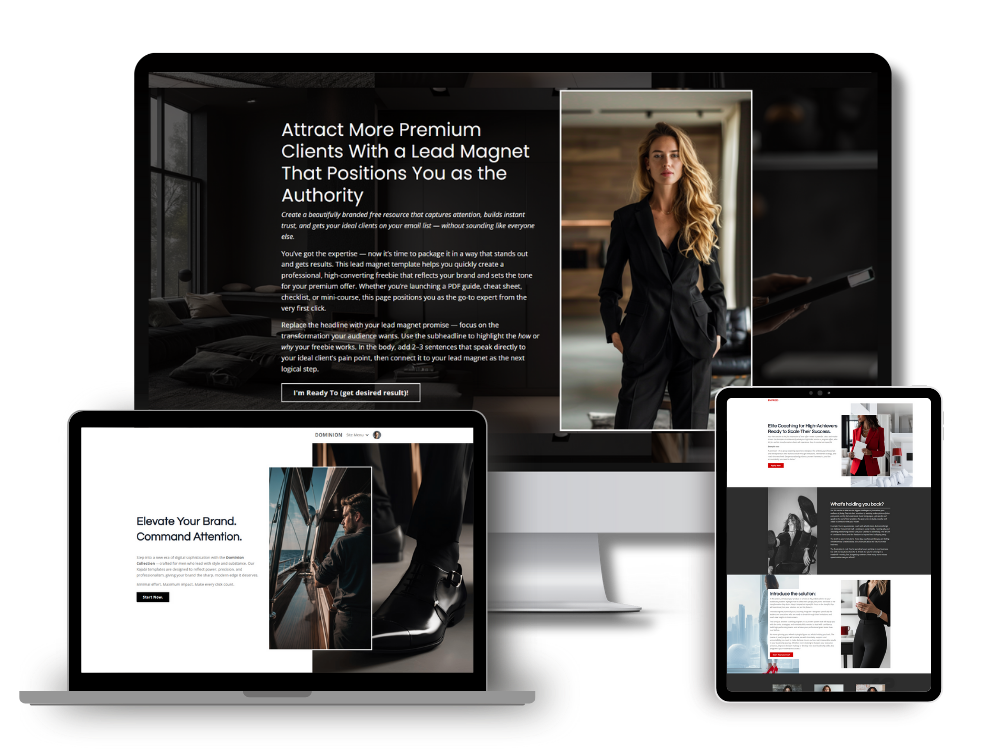
My own website runs on Kajabi, and my template business operates from it. For anyone serious about building a digital product business at scale — particularly coaches who want to combine digital products with higher-ticket offers — it's worth understanding what Kajabi makes possible. You can see what a Kajabi-built site looks like across my template collection.
The practical recommendation: start on Etsy to validate demand and generate initial sales. Build your own site or move to a platform like Kajabi as your product line grows and you want more control over the customer experience.
A Specific Note for Coaches and Course Creators
If you run a coaching business or sell courses, digital products solve a problem that most coaches don't name clearly: the gap between people who discover you and people who are ready to hire you at a premium level.
Someone who finds your Instagram or lands on your website for the first time is rarely ready to spend $2,000-5,000 on a coaching package immediately. That's not a failure of your marketing. It's just how buying decisions at that level work. Trust takes time.
A low-ticket digital product — a $17 workbook, a $27 template kit, a $37 mini-guide — acts as a paid lead magnet. It's a low-risk entry point that lets someone experience your thinking and your quality before committing to something bigger.
I first started using this approach with my own template business. People would buy a template, experience the quality of the product directly, and reach out about higher-level services or coaching. The product did the trust-building work. By the time they contacted me, they already had evidence of what I could deliver.
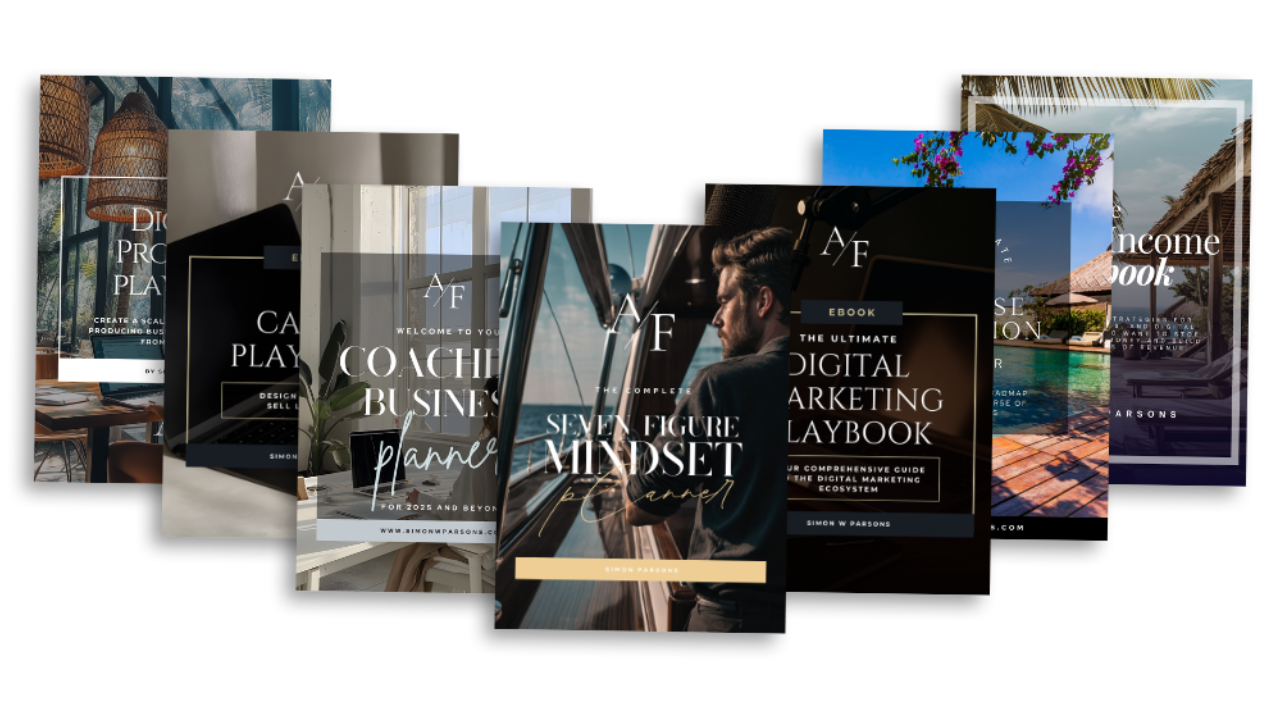
I now teach this approach to other coaches and have a full chapter on it in the Etsy Digital Product Playbook — covering how to position a paid lead magnet, how to price it, and how to connect it to your broader offer ecosystem so it brings in both passive income and warm leads simultaneously.
The strategic point is this: a digital product isn't just a passive income stream for a coach. It's a client acquisition tool that also happens to pay you.
What Happens After Your First Sale
When the first sale comes in, the instinct is to spend it. Don't.
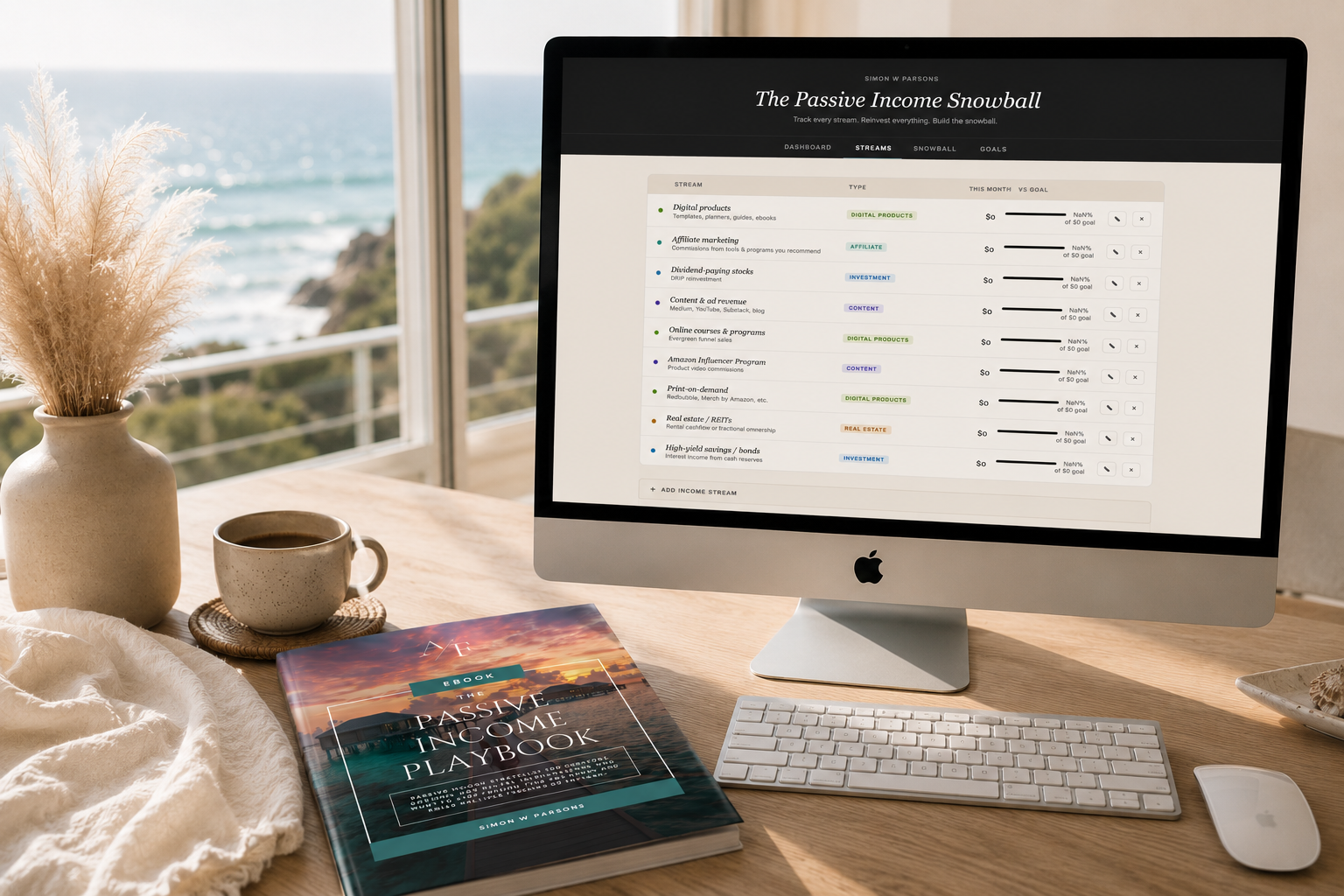
The Passive Income Snowball strategy — which I cover in detail in the Passive Income for Beginners guide — is built on one core discipline: reinvesting passive income into assets rather than spending it as discretionary income.
Your first $10, $50, or $200 in digital product income should go into something that generates more passive income. A high-yield savings account. A fractional share of a dividend stock. Funding the creation of your next product.
Beyond reinvestment, the first sale also tells you something important: someone paid real money for what you created. That's validation. Use the momentum.
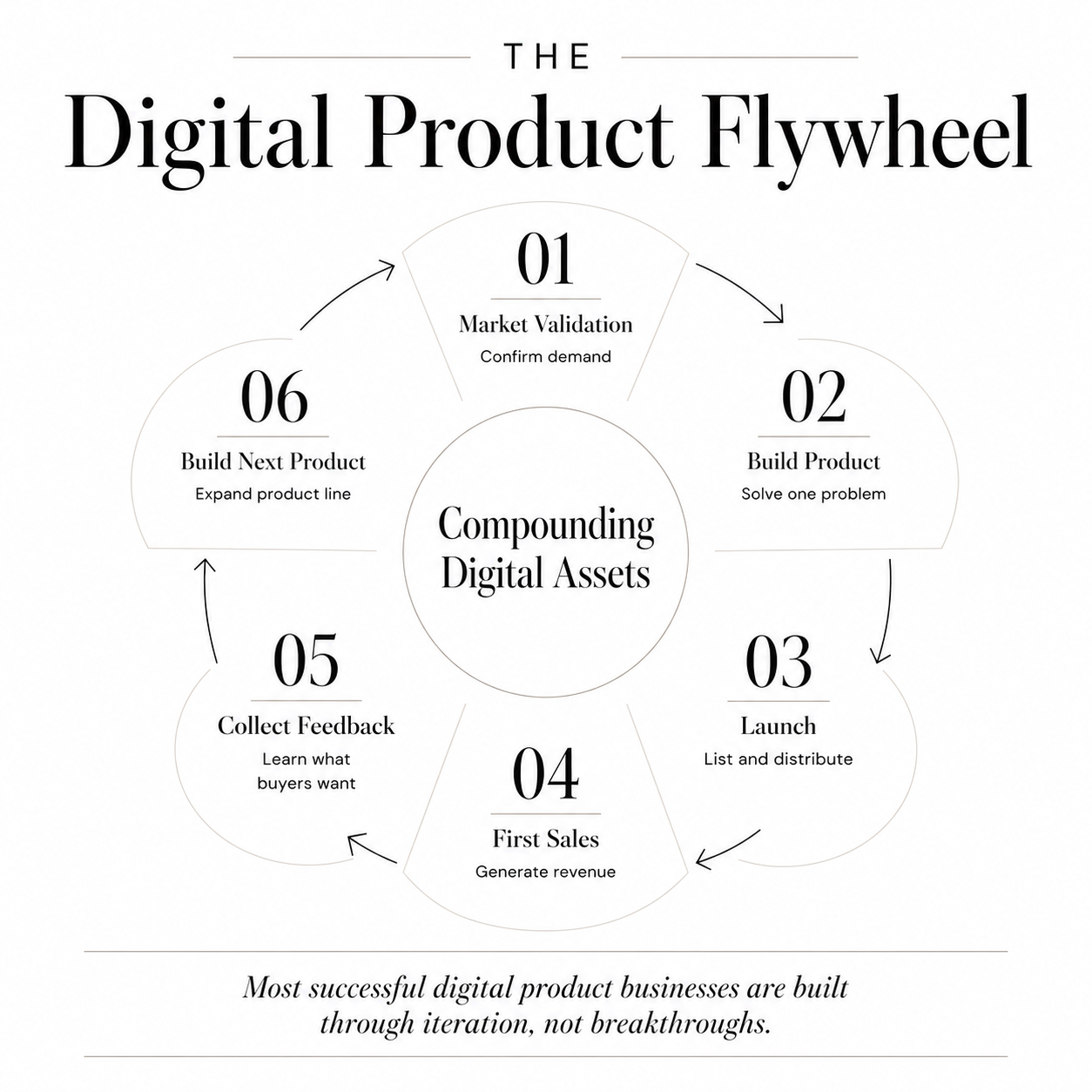
Look at what they bought and why. Build the logical next product in that category. Improve the listing based on what questions buyers ask. Ask for a review. Start building the small flywheel that turns one product into a product line.
Most successful digital product businesses don't start with a breakthrough launch. They start with one modest product that sells consistently, teaches the creator what works, and funds the next one.
Ready to Go Deeper?
This is Part 2 of the Passive Income for Beginners series. Here's the full roadmap:
Passive Income for Beginners: The Complete Guide — the hub post covering all three income buckets and the Passive Income Snowball.
Best Passive Income Ideas for Beginners with No Experience — Part 1, covering the full tiered list of where to start.
Part 3: How to Sell on Etsy for Beginners — how coaches & course creators can turn Etsy into a lead generation machine
Part 4: How to Build Multiple Passive Income Streams —learn how and when to add additional passive income streams.
For the full strategy in one place, the Passive Income Playbook, Etsy Digital Product Playbook, and Canva Playbook each go deep on a specific part of the system.
Simon
PS: One of my favorite quotes is "If they can do it, so can I. We all can". Remember, I started at zero, from scratch, and you can too.
Grab my free High Ticket Coach Branding Guide
A free guide for coaches, consultants, and creators who are ready to ditch the DIY look and step into a cohesive, premium brand presence that sells.
We hate SPAM. We will never sell your information, for any reason.