How to Use Claude AI: A Beginner's Guide for Coaches and Creators
Sep 13, 2026
Most beginner guides teach you to use Claude as a faster typist. That is the cheapest thing it does.
I have Claude open in a tab all day, across two businesses that have almost nothing in common.
One is this one, where I design and sell Kajabi templates, Canva template kits, and digital playbooks to coaches and creators. The other is my role on the sales strategy side of a large enterprise healthcare staffing organization, where I build dashboards and frameworks that help reps manage pipeline and help leaders track KPIs.
Different industries, different stakes, same tool.
I mention that because a lot of "how to use Claude AI" content gets written by people who tried it for a week so they could write about trying it for a week. What follows is what I actually do with it, and what I would tell a coach who has never opened an AI chat window before.
Here is what I will cover:
- What Claude is, and how it differs from ChatGPT and Gemini
- How to get started for free, and when free stops being enough
- A tour of the interface so you know what you are looking at
- The prompting framework I teach in my playbook, with real examples
- What coaches, consultants, and course creators actually use it for
- The mistake that keeps most beginners stuck at the shallow end
What Claude AI Actually Is
Claude is an AI assistant built by Anthropic, an AI safety company started in 2021. You use it the way you would use any chat window. You type a request, it responds, you tell it what to fix.
It also reads documents you upload, analyzes spreadsheets, looks at images, searches the web, and writes in whatever format you ask for.
The short version of how it compares to the others: ChatGPT has the widest consumer feature set and the most name recognition. Gemini is wired deep into Google's ecosystem, which matters if you live in Docs and Sheets. Claude, in my experience running both businesses through it, holds a consistent voice across long pieces of writing better than the other two, and it reasons through a messy problem instead of rushing to hand you a bulleted list.
That is why it became my default. A full side-by-side comparison is its own article, and I will link it here once it is published.
Getting Started With Claude AI for Free
You do not need a credit card to start.
- Go to claude.ai
- Sign up with an email address or your Google account
- Verify your email
- Start typing in the box
That is genuinely it. There is no onboarding maze, no template gallery to wade through, no setup wizard.
What you get on the free plan
The free tier is more generous than most people assume. You get:
- Chat on web, iOS, Android, and the desktop app
- Web search, so Claude can pull current information instead of working from memory
- File uploads, including PDFs, spreadsheets, and images
- Artifacts, which is the side panel where documents and drafts get built
- Memory across conversations, so it retains context about you
- Connections to tools like Google Workspace and Slack
- Extended thinking for harder problems
What the free plan limits actually mean
This is where I want to be straight with you, because the other articles ranking for this search are not.
Anthropic does not publish a fixed message count for the free plan. Any guide telling you "you get 45 messages every five hours" is repeating a number somebody made up. Your actual usage depends on how long your messages are, how large the files you attach are, and how much demand the system is under at that moment.
In practice, a free account gives you a real working session. Ask short questions and you can go a long while. Upload a 40-page PDF and have a detailed back-and-forth about it, and you will hit the ceiling faster. When you do, Claude tells you and gives you a reset time, usually a few hours out.
When to stay free, and when to upgrade
Stay on free if you are testing whether this fits how you work, or if you are reaching for it a couple of times a week for shorter tasks. Plenty of coaches run on free indefinitely and get real value out of it.
Upgrade to Pro when you start hitting the limit in the middle of something more than once a week. That is the signal. Pro also opens up the features I use most, including Projects without tight caps, Research, and the desktop tools that let Claude work with files and browse alongside you.
Pro currently sits somewhere between seventeen and twenty dollars a month depending on whether you pay monthly or annually. Anthropic updates pricing periodically, so check claude.com/pricing rather than trusting a number in a blog post, including this one.
My honest recommendation: run free for two weeks. If you find yourself irritated by the reset timer, that irritation is worth twenty dollars.
A Quick Tour of the Claude Interface
Five things make up most of what you will touch.
Chat. The main conversation window. Everything starts here, and each conversation keeps its own context.
Projects. A folder that holds a set of chats plus reference files and standing instructions. This is the one that changes how you work, and there is more on it below.
Artifacts. A side panel where longer outputs get built as editable documents. Your sales page draft appears there instead of buried in chat scroll.
File uploads. Drag a PDF, spreadsheet, or image straight into the chat. Upload the actual thing instead of describing it.
Connectors. Links Claude to tools like Google Drive, Gmail, Canva, and Kajabi, so it can read and write in the tools you already use.
Projects deserve the extra attention. A Project is a workspace where you load reference material once, write instructions once, and then every conversation inside it starts with that context already in place.
I have a Project for my blog content that holds my brand voice rules, my keyword list, and my site structure. When I start a new article, I do not re-explain any of it. That is the difference between using Claude as a search bar and using it as something that knows your business.
Claude AI Prompting Tips for Beginners
This is the section that matters most, and it is the one most people skip past.
If you type "write me a sales email," Claude has nothing to work with. It does not know who the email is going to, what you sell, what tone fits your brand, or what you want the reader to do. So it produces the statistically average sales email. The output is not wrong. It was just built for nobody.
The four inputs every prompt needs
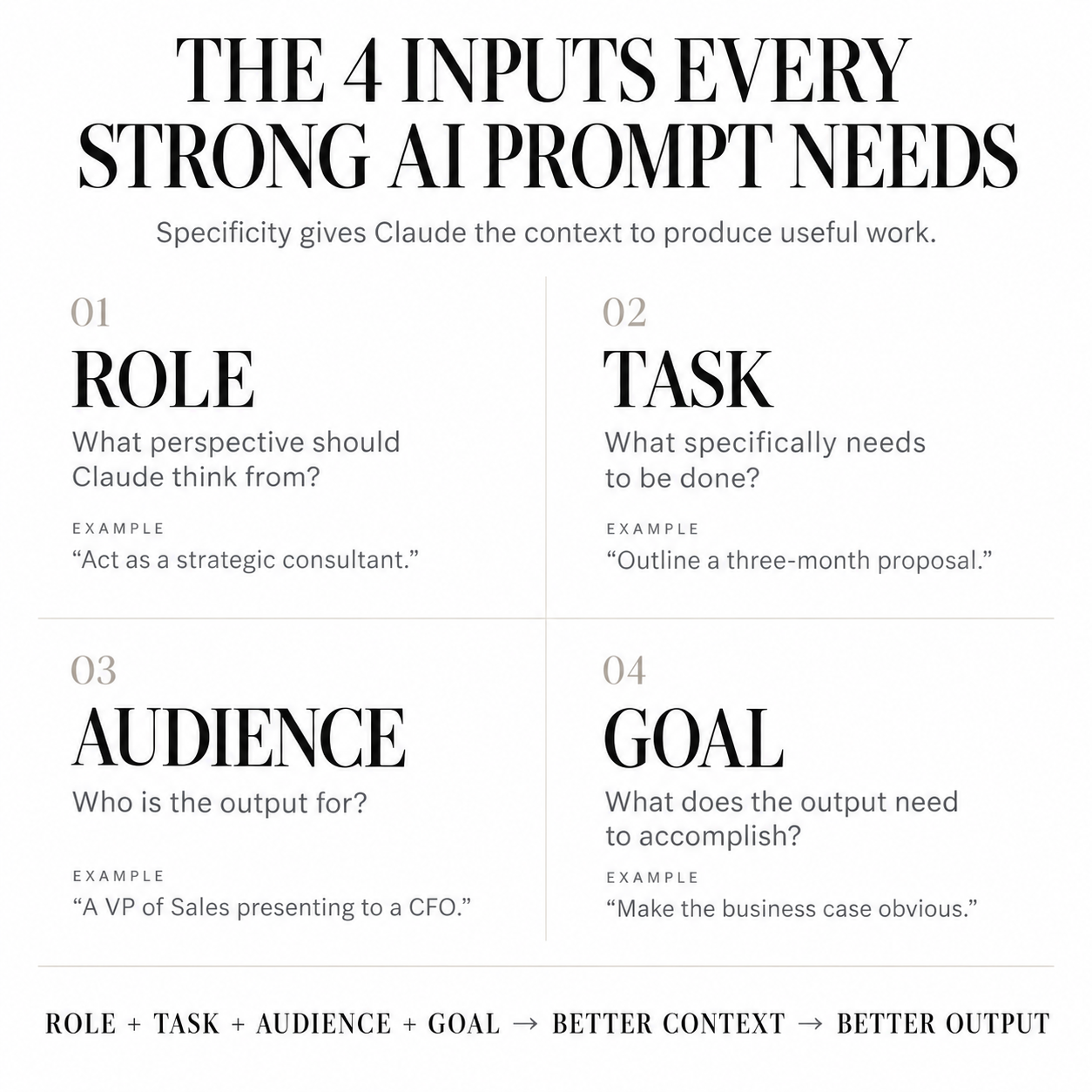
In Chapter 5 of The Claude Playbook I break this down as Role, Task, Audience, Goal. It comes out of a decade coaching sales reps on discovery questions, where the quality of the deal always came back to the quality of the information gathered up front.
Role. Tell Claude what perspective to think from. "Act as a direct response copywriter." "Think like a skeptical buyer reading this for the first time."
Task. State the specific thing you want done, not the category. "Help me with my Etsy listing" is a category. "Rewrite this Etsy title to include the top three keywords buyers search for, under 140 characters" is a task.
Audience. Name who the output is for. A post written for other coaches reads differently than one written for clients, even on the same topic.
Goal. Say what the output needs to accomplish. Get a click, start a conversation, book a call, or organize your own thinking.
You do not have to label these every time. They just need to show up somewhere in what you type.
Three examples, weak version and strong version
A coach following up with a prospect
Weak: "Write a follow-up email to a potential client."
Strong: "Act as a warm, direct copywriter. Write a follow-up email to a coach who booked a discovery call with me two weeks ago, said she needed to think about it, and has gone quiet since. She runs a six-figure practice and her hesitation was about time, not money. Goal is to restart the conversation without pressure. Under 150 words."
A consultant outlining a proposal
Weak: "Help me write a proposal."
Strong: "Act as a strategic consultant who charges premium rates. Outline a proposal for a three-month engagement helping a sales organization rebuild its lead qualification process. The reader is a VP of Sales who needs to justify the spend to a CFO. Goal is to make the business case obvious before the pricing page. Give me section headers and one line on what each section needs to prove."
A course creator building a module
Weak: "Give me ideas for my course."
Strong: "Act as an instructional designer who builds courses for non-technical business owners. I am building a module on client onboarding for a course aimed at personal trainers going independent. My students get overwhelmed by process-heavy content. Goal is a module they can finish in under an hour and implement the same day. Suggest four lessons with the specific outcome each one delivers."
Read those side by side and you can see it. The strong versions are longer, and length is not the point. Specificity is.
Let Claude ask you the questions
This is the technique that shifts things for most people, and it is one line.
End your prompt with: "Before you respond, ask me one question at a time until you have enough context to do this well."
Instead of you guessing what information Claude needs, it tells you. It finds the gaps in your request and asks about them directly, which means you end up supplying exactly what the task required rather than what you happened to think of.
Use this any time you know what you want but cannot quite articulate it. Drafting an offer, positioning a new product, figuring out what your program is actually worth.
Treat the first response as a draft
The most common way beginners write off AI is by judging it on its first answer.
You type a prompt, read the output, decide it is mediocre, and conclude the tool cannot do what you need. What actually happened is that a first prompt got you a first draft.
Tell Claude what is working and what is not. "Too formal, make it sound like how I would talk to a client." "The second paragraph is strong, the opening is generic, try a different hook." Two exchanges usually gets you somewhere usable. You are sharpening the same piece of work, not starting over, and Claude holds the context of everything already said in that conversation.
What Coaches, Consultants, and Course Creators Actually Use Claude For
Before the segments, here is my own list, because it is more useful than a hypothetical one.
I use Claude to manage incoming orders in Gmail and draft the thank-you emails that go with them. I use it to spec out new Kajabi templates before I build them, and to map out product listings before I write them. I run keyword and SEO research through it. I map out offers and marketing strategy in it. And because it connects directly to both Kajabi and Canva, a lot of that work moves from a chat window into the actual tools without me copying and pasting between tabs.
That is not four separate AI tools. That is one, wired into the business.
For coaches
Upload a call recording transcript and ask Claude to pull out the objections your client raised, the language she used to describe her problem, and the moments where what she said and what she meant came apart. Then use her actual words in your sales page. Most coaches write copy describing the problem the way they see it, not the way the client says it out loud.
If you are setting up the client-facing side of a coaching business, I wrote a full walkthrough of that in my Kajabi for coaches guide.
For consultants
Give Claude the raw notes from a discovery call and ask it to structure a scope of work, then ask it to argue against your own recommendation before you send it. Having it pressure-test your thinking is worth more than having it write your deck. I do a version of this on the enterprise side of my work constantly.
For course creators
Upload your existing course outline and ask where the drop-off risk is. Ask it to identify which module is doing too much and should be split. Ask it to write the lesson descriptions in your voice after you show it three samples of your writing.
When you are ready to sell it, the structural side of that is covered in my post on building a sales page for a digital product.
The Mistakes That Keep Beginners Stuck
Four things account for most of the frustration I hear about.
- Vague prompts. Covered above. This is the big one.
- Withholding context. People describe their business in three sentences when they could upload their actual sales page, their real email sequence, their live pricing. Claude works from what you give it.
- Treating it like a search engine. One question, one answer, close the tab. The value is in the second, third, and fourth exchange.
- Starting fresh every time. A new chat for every task throws away everything Claude learned about you in the last one. This is what Projects solve.
The ceiling most people stop at
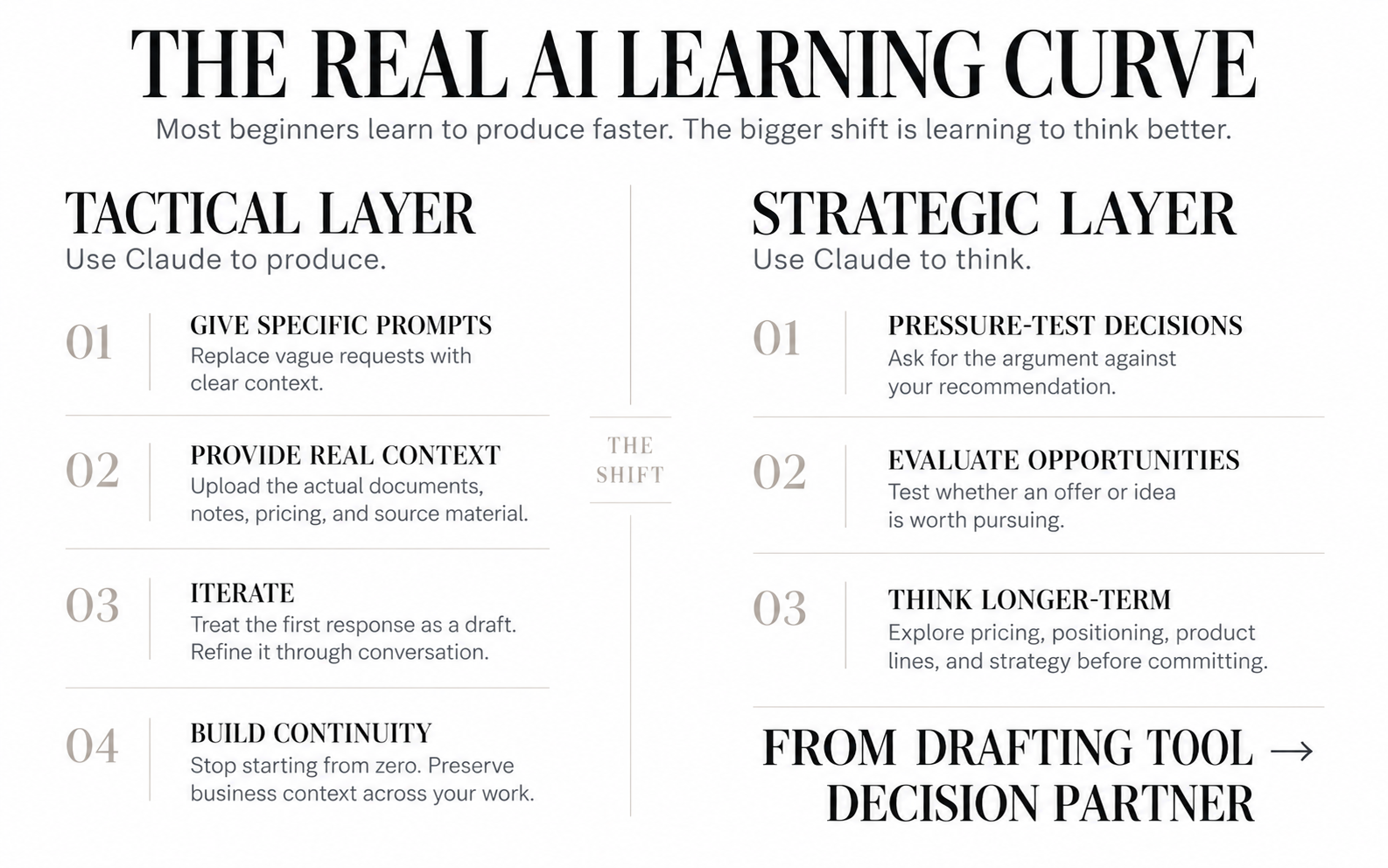
Fix those four and you will be better at Claude than most people using it. You will draft faster, write cleaner emails, and stop staring at blank pages.
And then you will plateau, because all four of those fixes are tactical. They make you faster at producing things.
The people getting the most out of Claude are using it somewhere else entirely. They are using it to think. To pressure-test a pricing decision before committing to it. To map out what a product line should look like eighteen months from now. To run the numbers on whether a new offer is worth building at all, and to hear the argument against it.
That is a different relationship with the tool. You are not asking it to produce a deliverable. You are asking it to help you make a decision you would otherwise make alone, at eleven at night, with no one to check your reasoning.
Almost nobody makes that jump on their own. They learn the tactical layer, get comfortable, and stay there, because nothing in the product tells you there is another level.
Where to Go From Here
If you take one thing from this article, make it the prompt framework. Role, task, audience, goal, plus the line that makes Claude interview you. Run it on something real this week.
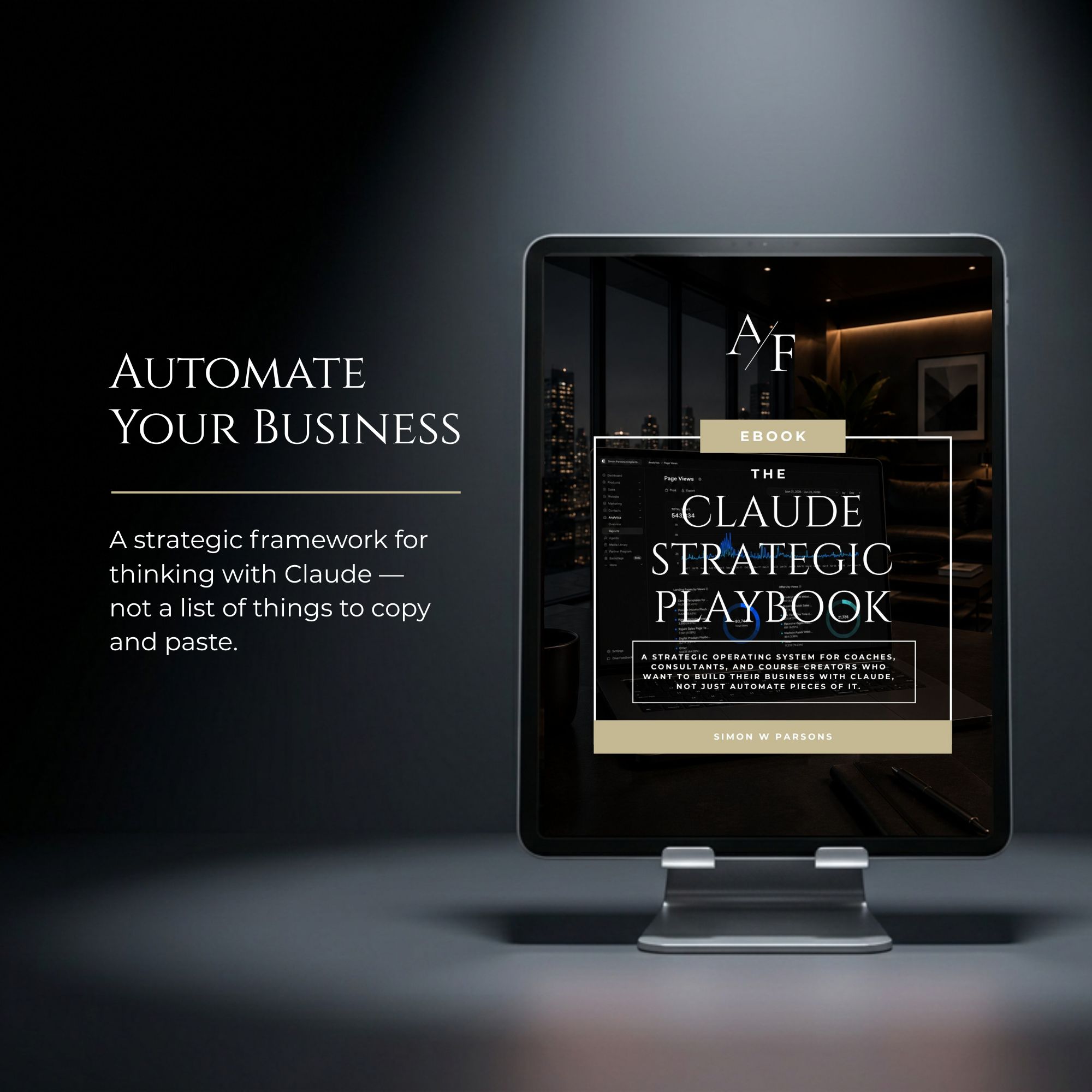
When you are ready to move past using Claude for tasks and start using it for strategy, that is what I wrote The Claude Playbook for. It is 133 pages, twenty chapters, built around a four-stage system for turning Claude into the operating layer of your business rather than a drafting tool you open when you are stuck. Chapter 5 is the prompting chapter this article pulls from, and there are nineteen more.
It sits alongside my other business playbooks and planners if you want to see the full set.
Go get it.
Simon.
In my next article, I'll talk about how to create digital products with Claude AI using a 7 step process.
Grab my free High Ticket Coach Branding Guide
A free guide for coaches, consultants, and creators who are ready to ditch the DIY look and step into a cohesive, premium brand presence that sells.
We hate SPAM. We will never sell your information, for any reason.