Kajabi Sales Agent: What It Actually Does and Whether It's Worth Setting Up
Jul 27, 2026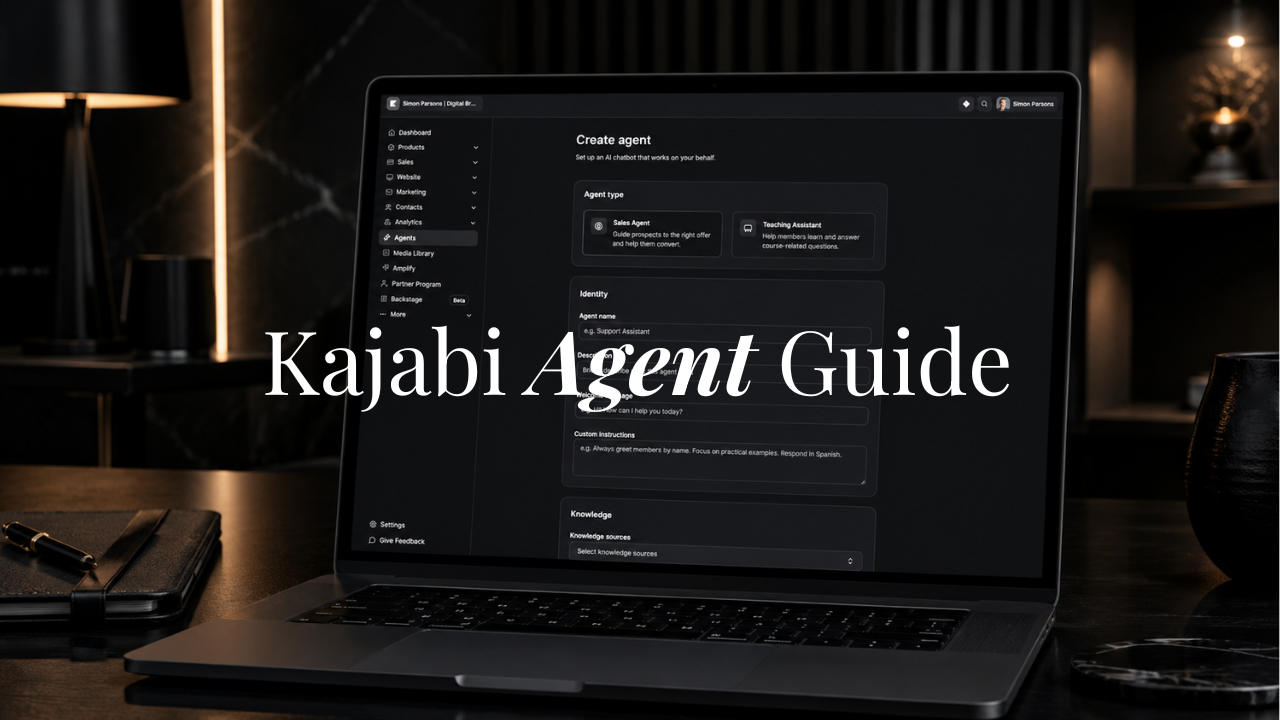
Kajabi rolled out Expert Agents in beta a few weeks ago, and I turned one on for a client landing page the same week, before writing a word about it. Most coverage of a new platform feature comes from someone who read the release notes. I wanted to know if this was worth the twenty minutes it takes to configure, so I set one up and watched how it handled real visitor questions.
Here's the short version: the Kajabi Sales Agent is an AI chatbot that lives on your landing page or sales page and answers prospect questions before they buy. It reads your offer details, FAQ content, and product descriptions, and responds to visitors using that material. It doesn't invent answers, and it doesn't process a sale inside the chat window. It points a hesitant visitor to the exact section of your page that answers their question, then lets them scroll up, read it, and click your existing call to action.
This is a different job than Kajabi's Teaching Assistant, which lives inside a course or membership and helps members who already bought. The Teaching Assistant answers "I'm stuck on lesson four" using content the student already has access to. The Sales Agent answers "is this right for me" from someone who hasn't paid yet. One works after the purchase and the other works before it, and confusing the two is the fastest way to set expectations wrong for both.
Which Offers Are Worth Putting a Sales Agent In Front Of
Not every offer benefits equally, and I'd rather say that directly than have you spend an afternoon configuring an agent that does nothing for your conversion rate.
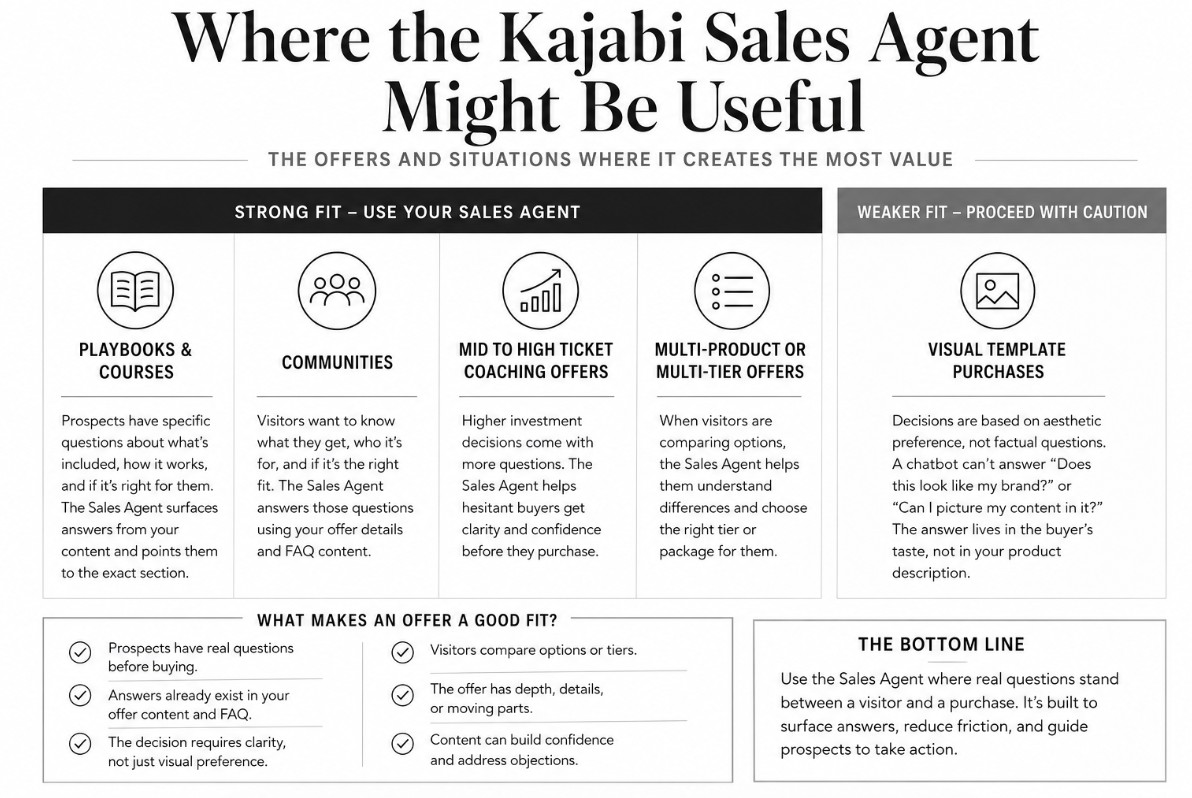
Playbooks, courses, communities, and mid to high ticket coaching offers are the strongest fit. These are purchases where a prospect is actively weighing a decision: does this apply to my situation, what's actually included, is this the right tier for where I am right now. Those questions have real answers already sitting in your offer content, just easy for a scrolling visitor to miss, and that's exactly what a Sales Agent is built to surface.
Multi-product pages where someone is comparing options belong here too. If your landing page lists three tiers of a coaching program or a handful of course bundles, a visitor figuring out which one fits her is doing exactly the kind of evaluation the Sales Agent handles well, pointing her to the comparison section instead of leaving her to reread the whole page.
Visual template purchases are a weaker fit, and I say that as someone who sells templates for a living. A coach deciding whether to buy a Kajabi website template isn't usually stuck on a factual question. She's making an aesthetic judgment: does this look like my brand, do I like this layout, can I picture my content in it. A chatbot can't answer that, because the answer lives in her taste, not your product description. Save the Sales Agent for offers where a real question stands between a visitor and a purchase, not pages where the decision is visual.
For my business, I sell a lot of templates which fall into the visual category so I've elected to not use the Sales Agent. I want to keep my pages concise and streamlined and most of the questions I get asked can be answered in the FAQ that resides on the sales page or my Template Help page.
Setting Up Your Sales Agent, Start to Finish
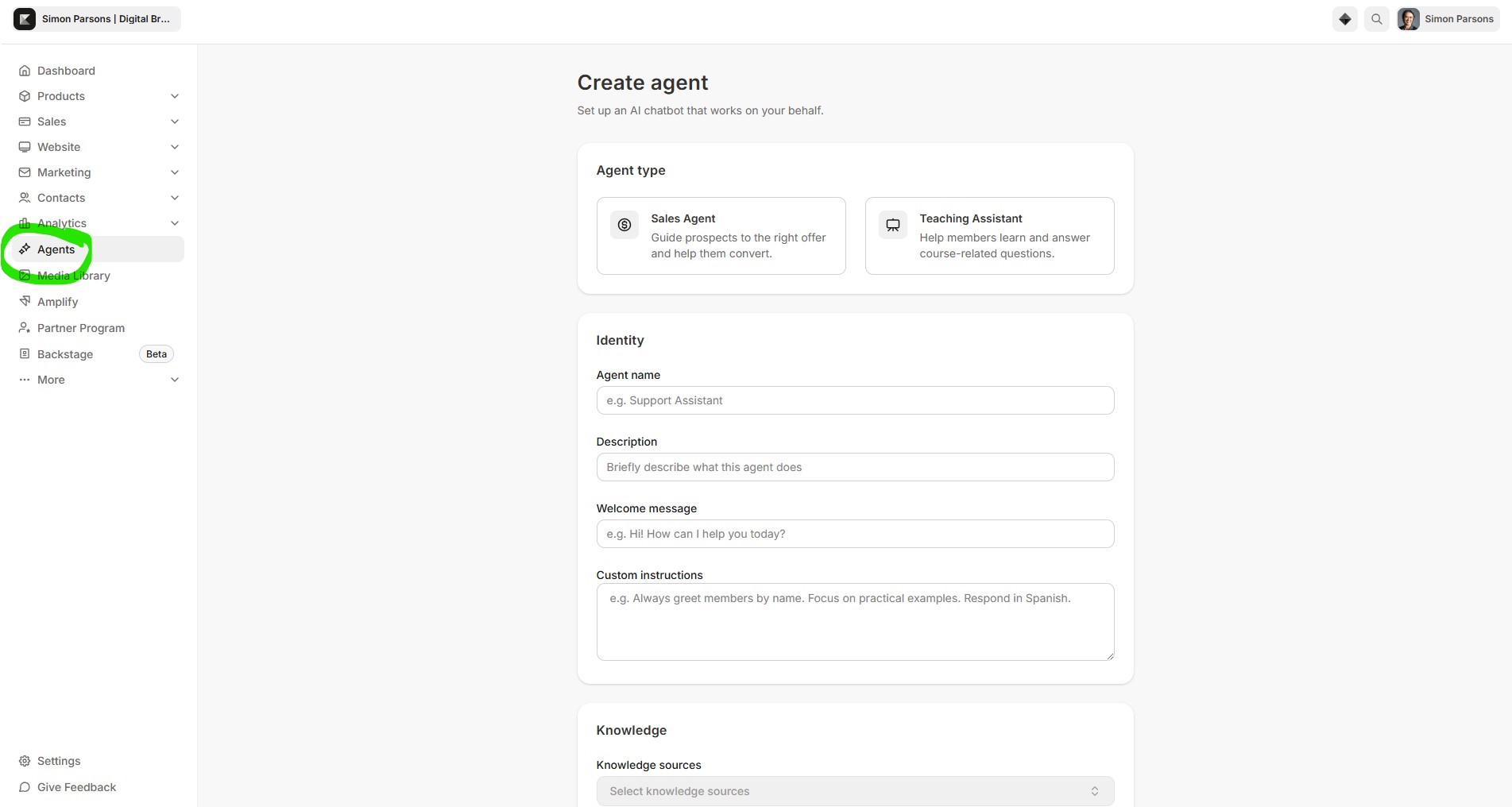
The setup itself is straightforward, and Kajabi kept it simple on purpose.
From your Dashboard, click Agents, then New chatbot, and choose the Sales Assistant template. You'll configure an agent name your prospects see at the top of the chat window, an optional internal description visitors never see, and a welcome message, the first thing a visitor reads when they open the chat. Keep it short. It sets the tone for the whole conversation.
The field that actually determines how useful your agent is comes next: knowledge sources. This is where you link the agent to the specific offer or landing page it represents, and it pulls its answers from that offer's details and product descriptions, so a thin offer page produces thin answers. This is a good moment to tighten your FAQ section and your "who this is for" copy, because the agent is only as strong as what it's reading.
Once configured, submit it. Creating it doesn't put it on your page yet. For that, open the Theme Editor for the landing page, click Add Section, and select Agents from the list, then choose your Sales Agent. You'll choose between two placements. A floating chat button sits as a small circular icon in the corner of the page and opens a chat panel when clicked, a good default since it doesn't compete for space with existing content. An embedded block sits directly inside a page section, which makes sense if you want the agent visually prominent next to your offer details rather than tucked in a corner. Set text color and agent text color to match your brand, save, and publish.
One note: Agents currently require Builder 2.0 and an updated theme version, so if your site hasn't been migrated, do that first.
What Custom Instructions Can (and Can't) Do
The custom instructions field is where you shape how the agent sounds, and it's worth spending real time on rather than leaving blank.
Use it to set tone, telling the agent to adopt a warm, encouraging voice or a more direct one depending on your brand. Use it to set emphasis, instructing it to lead with the transformation your offer creates before it mentions price. Use it to set persona, framing it to speak as a knowledgeable member of your team rather than a generic bot. And use it to set language, though the agent already responds in whatever language a visitor writes in by default, so this is more about forcing consistency than enabling a language it couldn't otherwise handle.
What custom instructions can't do is make the agent smarter than your content. It answers from your published offer details and won't invent pricing or features you haven't published. It won't give medical, legal, or financial advice regardless of how you instruct it, and it can't take actions on a buyer's behalf: no refunds, no purchasing for someone, no changing account settings. It will also decline off-topic questions even if a visitor pushes on them repeatedly. Think of custom instructions as tuning the voice, not expanding the knowledge.
Is It Worth Turning On Right Now?
Here's my honest take after running one for a few weeks. The Sales Agent does what it says it does. Prospects who ask real questions on a landing page at an odd hour get real answers pulled from content already on the page, and I watched one of those conversations turn into a sale.
That said, this is a beta feature, and Kajabi is explicit that future entitlements and pricing are subject to change. There's no per-message charge right now, but Kajabi has said usage data may inform pricing changes down the line, with notice before anything takes effect. There are also real limits worth knowing going in: it's text only, it only works on Kajabi-hosted pages, and it needs an updated theme to appear in the Theme Editor.
Given all of that, I'd set one up now if you sell a playbook, course, community, or mid to high ticket offer with real content behind it. The setup cost is low, current pricing is free, and you get real signal on whether it moves your conversion numbers before it potentially becomes a paid feature. If you only sell visual templates, hold off and watch how the feature matures instead.
Kajabi's Teaching Assistant (Agent)
Once your Sales Agent is live, it's worth setting up its counterpart. The Teaching Assistant lives inside your course or membership rather than on your landing page, and it answers questions from members who already bought, using the content they already have access to.
When a student gets stuck on a concept, the Teaching Assistant doesn't invent an explanation. It points her to the specific lesson where you taught it, down to the timestamp, so she watches the exact clip that unblocks her instead of waiting on an email reply that might not come until Monday.
The two agents cover opposite ends of the same customer relationship, and running only one leaves half the job undone. A Sales Agent gets someone through checkout with confidence. A Teaching Assistant is what keeps her finishing the course she just bought, which is the difference between a testimonial and a refund request.
Every conversation from both agents lands in the same Universal Inbox, so you can read through what prospects and students are actually asking and step into any conversation yourself when you want to. If you sell a course, membership, or community alongside your offer, set up the Teaching Assistant the same week you set up the Sales Agent rather than treating it as a separate project.
Getting Found Is the Other Half of the Job
A Sales Agent is genuinely good at handling the conversation once someone is already on your page. It answers the question that would have otherwise cost you the sale. What it can't do is get that visitor there in the first place.
That's the part most coaches underinvest in. You can have the sharpest offer page and the best-configured Sales Agent on Kajabi, and none of it converts a dollar if the right person never finds the page through search. Getting found for the terms your ideal client is actually typing, "personal trainer Kajabi templates," "Kajabi sales page template," whatever your niche searches for, is what makes everything downstream of it worth building.
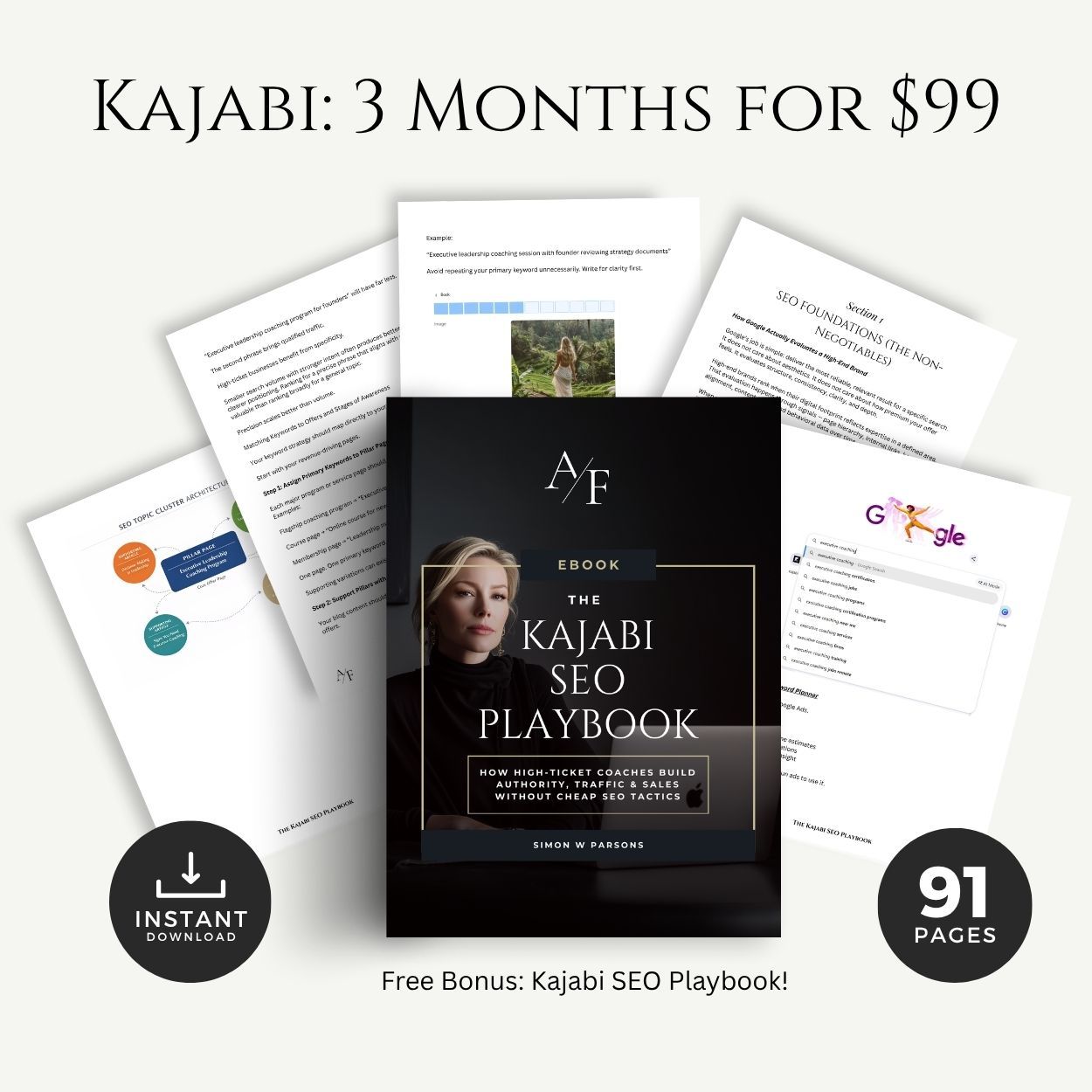
That's exactly what the Kajabi SEO Playbook walks you through: how to structure your Kajabi pages, titles, and content so Google sends coaches and course creators to your site instead of a competitor's. If you want your Sales Agent to have someone to talk to, start there.
In my next article I'll show you Julia Serafina's gorgeous use case of the Executive Kajabi Templae Bundle.
Simon

Grab my free High Ticket Coach Branding Guide
A free guide for coaches, consultants, and creators who are ready to ditch the DIY look and step into a cohesive, premium brand presence that sells.
We hate SPAM. We will never sell your information, for any reason.